EPSViewer Pro 4.0.4

“EPSViewer Pro – Postscript and PDF Converter” is updated to version 4.0.4

Prepress tools

Rulers — millimetres, centimetres, inches or points, with a live cursor position. Click the corner box to switch units, or press ⌘R to show and hide them
Measure tool — drag anywhere on the page for distance, width × height, and angle. Hold Shift to constrain to horizontal, vertical or 45°
Bleed and trim overlay — PDF files show the trim and bleed boxes they declare; EPS and PostScript show where your chosen bleed would fall, clearly labelled so the two are never confused

Finder integration

Thumbnails for EPS and PostScript throughout macOS — Finder, Quick Look, Spotlight and Open dialogs. macOS ships no EPS thumbnailer, so these files have always shown a blank icon until now

Page browsing

Rebuilt page sidebar — pages keep their true proportions instead of being squeezed into a fixed box, each labelled with its paper size
Per-page ink indicators — see at a glance which printing plates each page uses, and which pages exceed the ink limit
Pages render as you scroll rather than all at once, so long documents open immediately

Settings

New Settings window (⌘,) for ruler defaults, bleed amount, the total ink limit, and whether documents open in tabs or separate windows
Documents now open in tabs by default

Fixes

Files opened from Finder by double-click or “Open With” no longer hang on a spinner
Multi-page PostScript files are now measured across every page rather than only the first

Update Page: EPSViewer Pro.

#epsviewer #postscript, #pdf

Read more

CDRViewer 2.0.6

  • Added text import options, now you can import them as editable texts or as outlines
  • Added Image import options, images can be imported with different resolutions according to your needs
  • Added Gradient import options with improved gradient rendering
  • Many other rendering improvements

We are always here to hear your requests, contact us in any case you need support for CDRViewer!

Read more

VectorView for Mac 4.1.6

Here is a list of changes in version 4.1.6.

Added “Open With” menu item to the File preview sub toolbar

Improved interface elements and translations

Improved “New Collection” window

Added batch rename function: Now you can rename multiple files with just a few clicks

Added Vector File Previews for free license owners, you can open 30 any supported vector file without any limitation

Update Page: VectorView.

#eps #vectorconverter #coreldraw #postscript

Read more

Prepress – PDF Creator

Welcome to Prepress 5.0.0
This release:

  • Open 14 professional vector formats: EPS, PS, CDR, CMX, PDF, AI, DXF, WMF, WPD, WPG, and Visio
  • Combine pages from any format into one document via drag-and-drop
  • Text annotations with style controls
  • Redaction rectangles in six colors
  • PDF, PNG, TiFF, and JPG export
  • Multi-tab interface with thumbnail sidebar
  • Print, share, and full undo/redo

Update Page: Prepress – PDF Creator.

#epsviewer #postscript #pdf #cdrviewer #pdfeditor #stencil

Read more

EPSViewer Pro 4.0.0

“EPSViewer Pro – Postscritp and PDF Converter” is updated to version 4.0.0

Open EPS, PostScript, EPSF, EPSI, PDF, and Adobe Illustrator files
Sharp vector rendering with smooth zoom
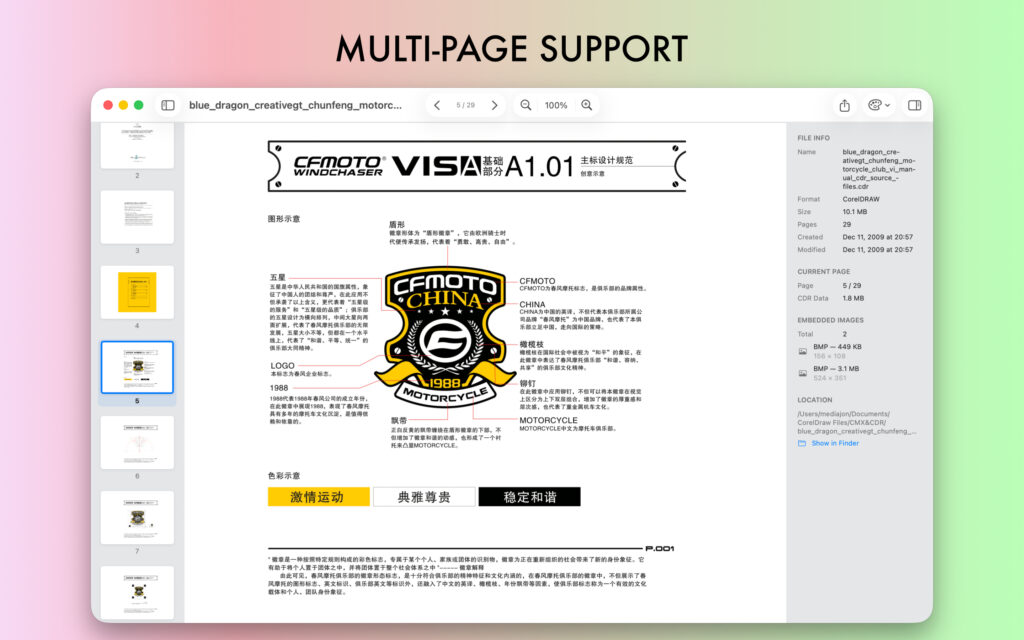
Multi-page sidebar
Export to PDF, PNG, JPG, and TIFF – (Pro)
Vector, multi-page printing – (Pro)

Update Page: EPSViewer Pro.

#epsviewer #postscript, #pdf
Read more

VectorView for Mac 4.1.3

Here is a list of changes in version 4.1.3.

VectorView now supports raw camera formats, WordPerfect Graphic file and Microsoft Visio Stencils.

Added export feature for new formats for Pro license owners. Multi-page or single page export.

Added Multi-page export options, now you can export a single page or selected pages from multi-page files.

Added Page Count info to the Inspector for multi-page files.

Update Page: VectorView.

#eps #vectorconverter #coreldraw #postscript

Read more

VectorView for Mac 4.1.2

Here is a list of changes in version 4.1.2.

Added New File Formats: CMX, EMF, EMZ, now you can open enhanced metafiles.
Added Arrow keys function to select graphics in Grid and List view.
When you go Back to Collection after preview graphic, scrolling position is saved now.
Added “Delete Behavior” in Settings -> Library section, for arranging how deletion happens when you delete “Referenced in Original Folders”.
Added Selection marquee, now you can see which items are being selected when you select multiple items.
Added more status messages for graphics that takes longer time.
Fixed”Rotation” issue.
Improved Thumbnail Generation.

Update Page: VectorView.

#eps #vectorconverter #coreldraw #postscript

Read more

VectorView for Mac 4.1.1

Here is a list of changes in version 4.1.1.


New file formats:
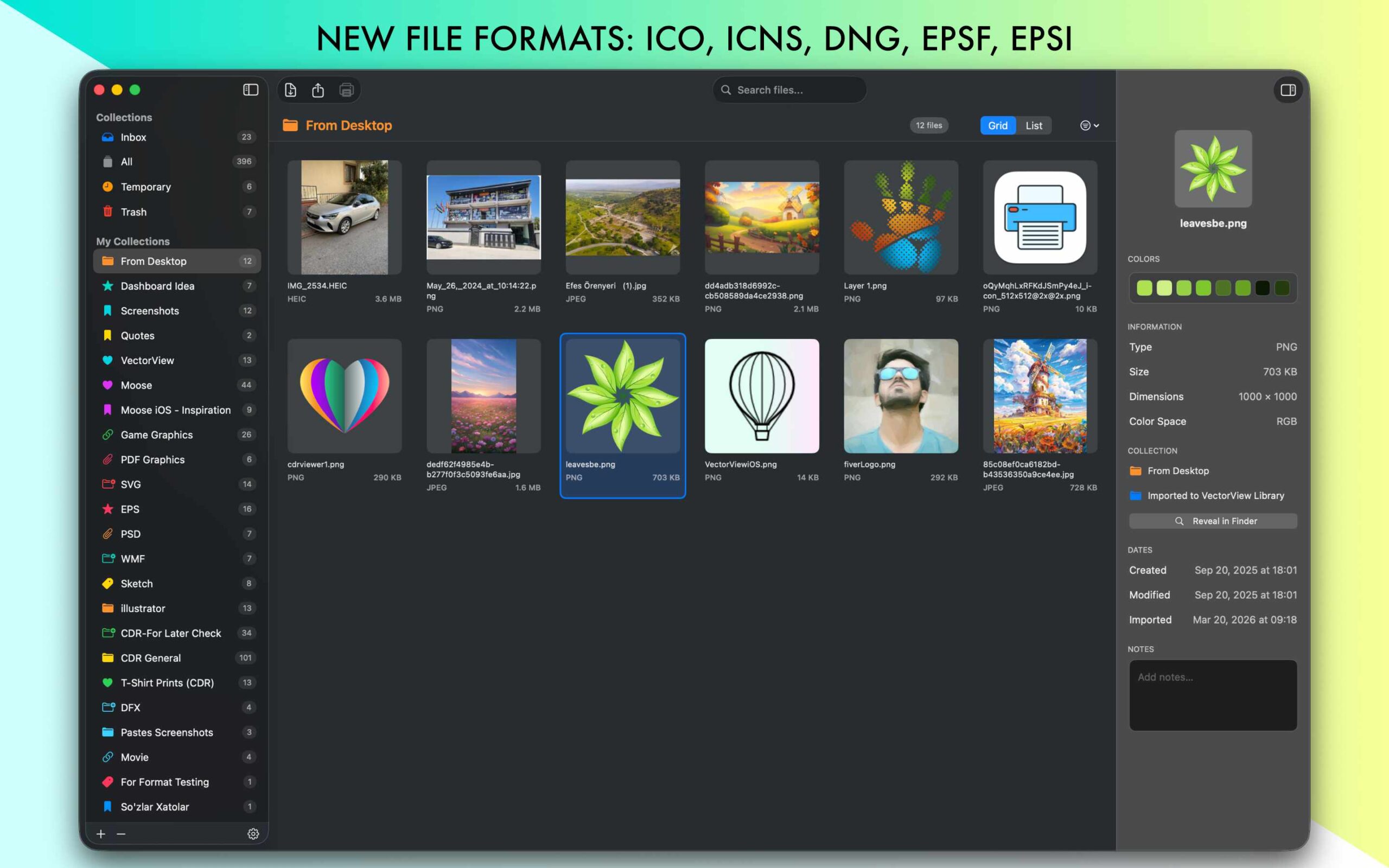
VectorView now supports more file formats: ICO, ICNS, DNG, EPSF, EPSI
Filter feature:
You can filter items in collection by date, size, type.
Added “Open With..” function to Right click menu and Graphic menu to open graphic with supported apps in your system.
Add “Allowed Folders” list to the settings view. If you prefer not to use VectorView Library feature, you can just reference files in their original folders.
Added Inspector Info: File Collection info, File Location info with “Reveal in Finder” function.
Added function “Move file by Drag and Drop to other Collections”.
Added functionality “Drag and Drop Collections” to re-organize them.
Added “Notes” section to Inspector, you can save comments about your graphics.
Added Color fetching from graphics, In Inspector below thumbnail you see colors from that graphic, click color icon to copy to Clipboard.
Fixed PDF Thumbnail flipped/upside-down view.

Update Page: VectorView.

#eps #vectorconverter #coreldraw #postscript

Read more

VectorView for Mac 4.1.0

Here is a list of changes in version 4.1.0.


  • added Polish and Dutch translations
  • added Previous/Next buttons, use arrow keys to preview next or previous graphic
  • added Print support for PDF, Al and Image files
  • added Rotate/Share/Delete buttons to the preview toolbar
  • fixed not showing Collection when clicked in Sidebar
  • improved multi-page thumbnails, added toggle function pages sidebar

Update Page: VectorView.

#eps #vectorconverter #coreldraw #postscript

Read more

CDRViewer 2.0.0

CDRViewer is updated to version 2.0.0.

What’s New (for v2.0.0):

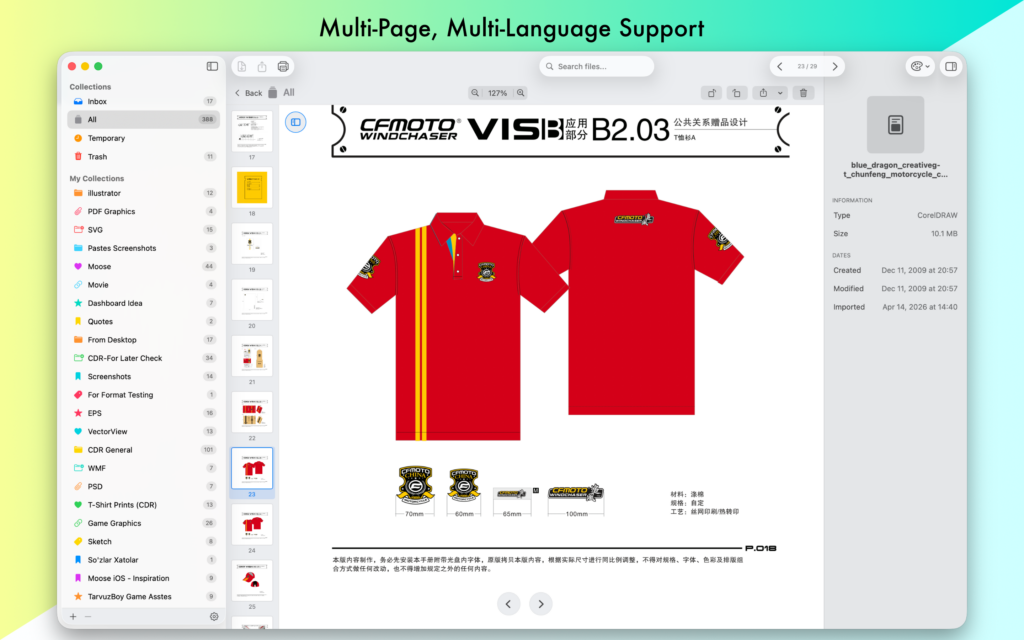
  • View .cdr and.cmx files natively
  • Multi-page document support with sidebar navigation
  • Export to PNG, JPG, PDF, SVG, and TIFF
  • Detailed file inspector
  • Privacy-first — your files stay on your Mac

Note For Users

Version 2 is an optional update. Purchased Pro versions up to version 2 will not work after version 2.0. If you wish to continue using version 1.x.x, and the app has accidentally or automatically updated itself, you can download version 1.9.5 for free from here and continue using your Pro version.

#cdrviewer #coreldrawviewer #cdrconverter

Read more