Vector File Viewer and Converter for macOS
Open and export EPS, XPS, PS, Ai, INDD, IDML, PDF, EPSF and EPSI files on Mac.


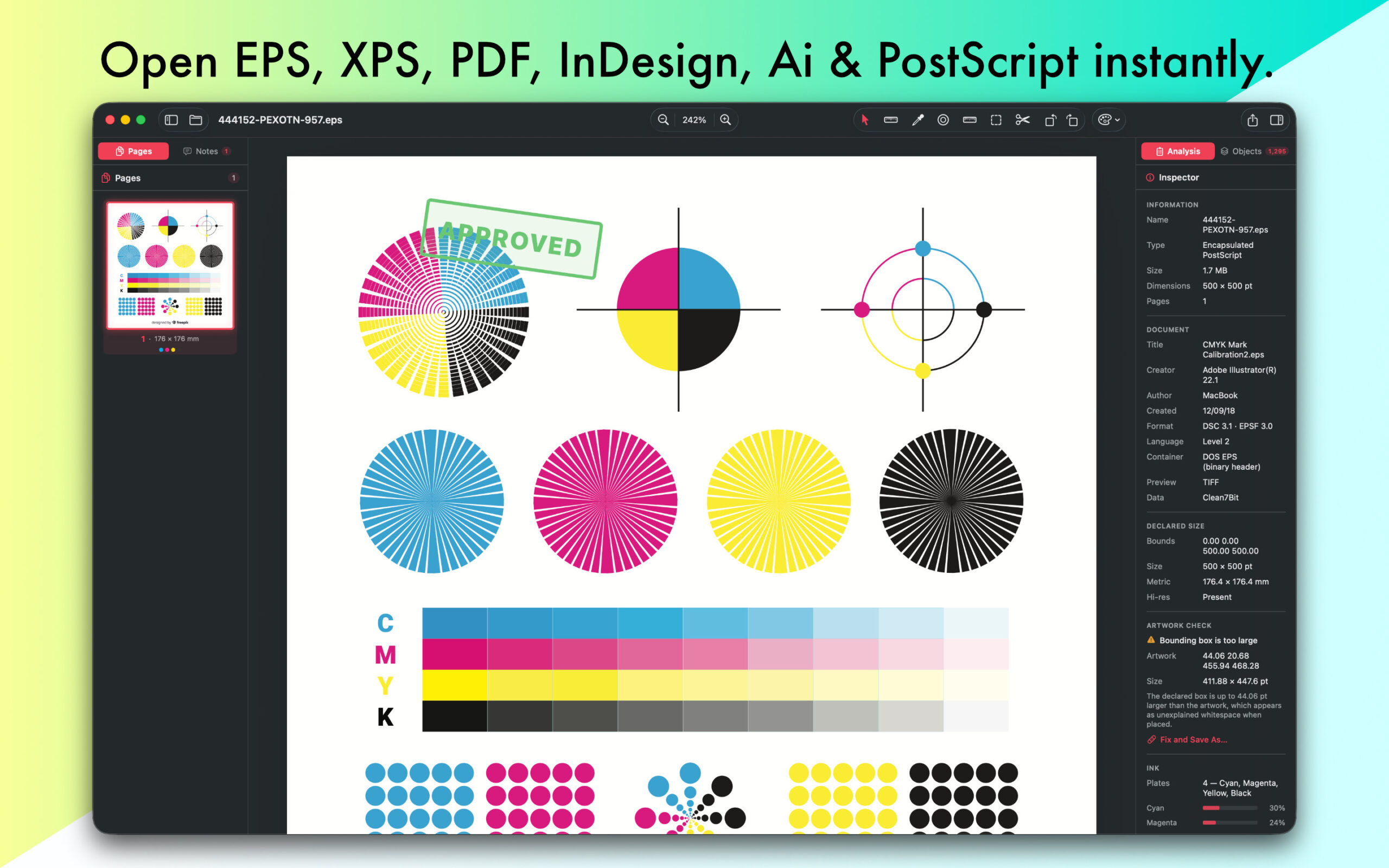
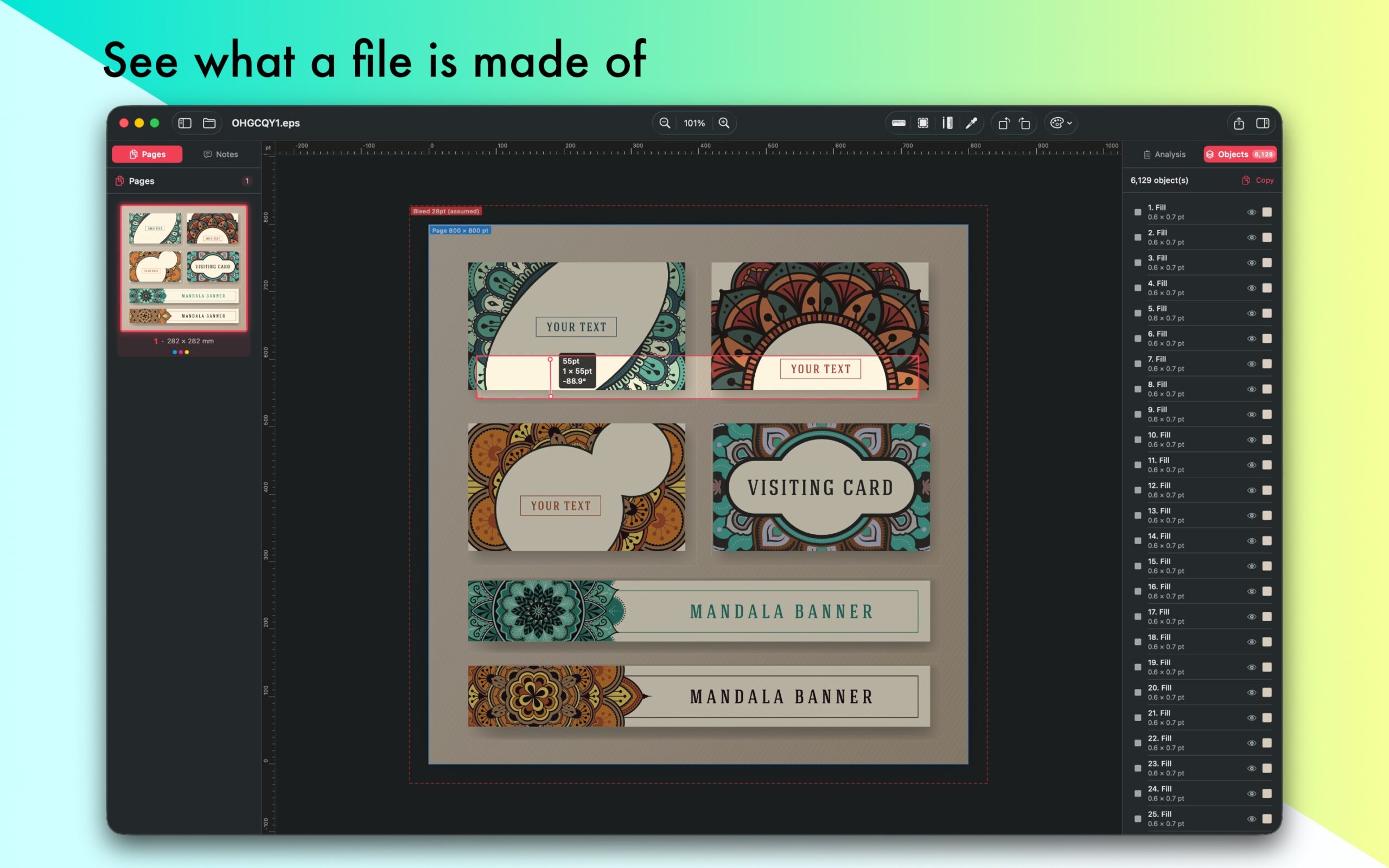
EPSViewer is an extremely useful tool for teams that need to open EPS, XPS, PS, Ai, INDD, IDML, INDT, PDF, EPSF and EPSI documents on a modern platform. The application makes it easy to display Vector drawings on your Mac.
Open and preview any Vector drawings in EPS, AI and SVG file format. Navigate multi-page files, view Shapes, Texts, Bitmap Graphics.
You can zoom to over 100000%. See details before exporting.
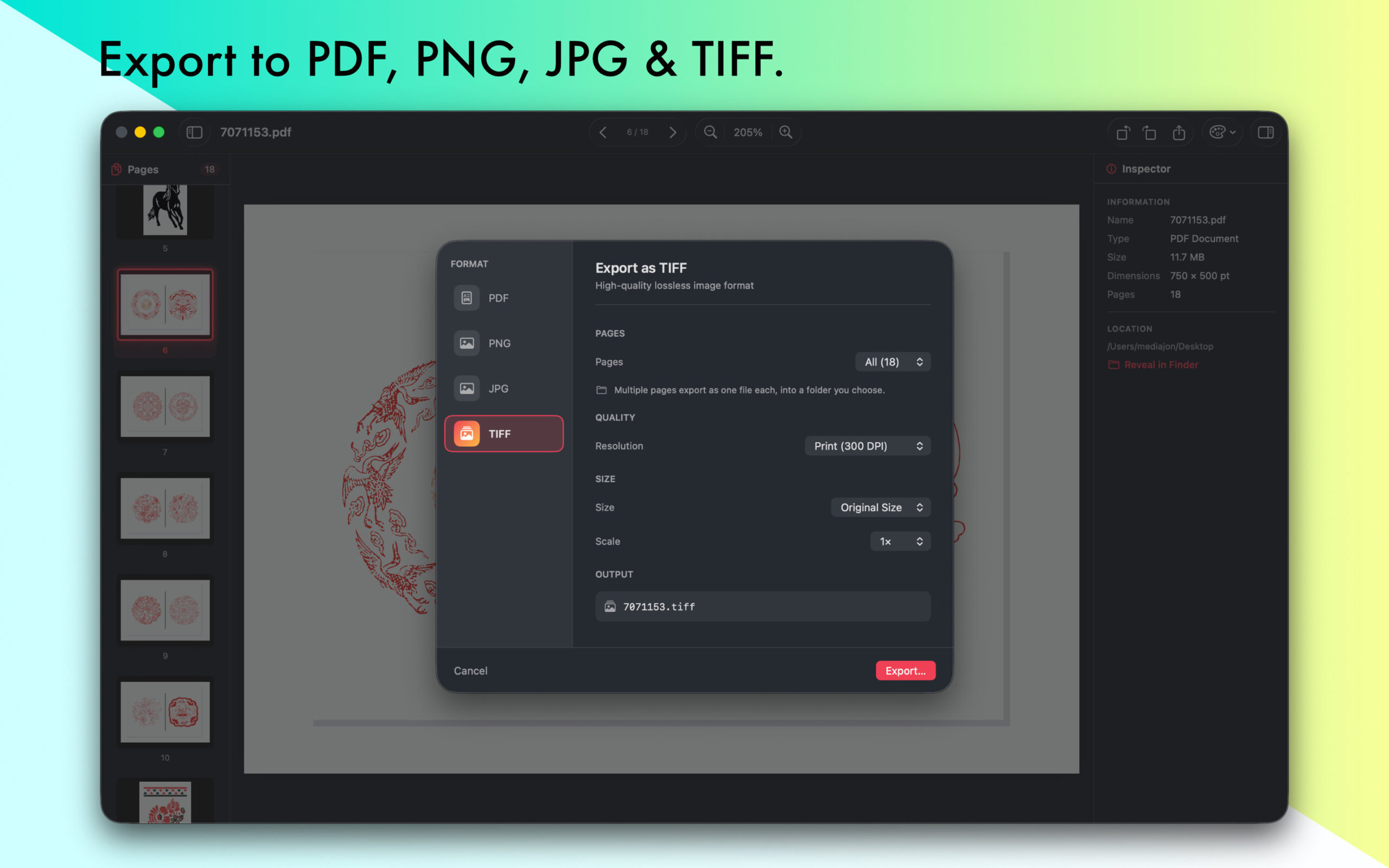
Save opened files in .pdf, you can easily open saved .pdf files in any Vector editing Software. Send your files in PDF via e-mail or print them using the menu bar.

A native macOS app for opening and viewing EPS, PostScript, Adobe Illustrator, and PDF files — without needing Adobe Illustrator or any other heavy software installed.
Designers, print shops, prepress teams, and anyone who receives `.eps` or `.ai` files and just needs to open and check them quickly.
It’s a viewer with export and print. You can view, navigate, export to other formats, and print — but it doesn’t edit the artwork itself (no moving objects or editing paths).
EPS, PS (PostScript), XPS, OpenXPS, EPSF, EPSI, PDF, InDesign and AI (Adobe Illustrator).
No. EPSViewer Pro renders everything on its own — nothing else needs to be installed.
Some legacy `.ai` files aren’t PDF-compatible internally. In those cases the app falls back to a bitmap preview, which can look slightly less sharp than the vector path used for modern files. Most current `.ai`, `.eps`, and `.pdf` files render as full vectors.
No — for CDR and CMX files, use **CDRViewer** (a separate app in the same family).
Yes. Multi-page files show a page sidebar so you can jump between pages, and you can navigate, zoom, fit-to-window, and rotate the view.
Yes. Rendering is vector-based, so it stays crisp as you zoom rather than turning blurry.
PDF, PNG, JPG, and TIFF. You can export the current page, a custom page range, or all pages at once; multi-page exports to image formats produce one numbered file per page in a folder you choose. You can set resolution (DPI), size, and JPG quality, and export transparent-background PNGs.
Yes — true vector, multi-page printing through the standard macOS print dialog, with the usual page-range, copies, and orientation options.
Yes, recently opened files appear in the welcome window for quick access.
English, Dutch, French, German, Italian, Japanese, Korean, Polish, Portuguese,
Russian, Simplified Chinese, Spanish, Turkish.
EPSViewer Pro automatically uses your Mac’s system language. If you’d like to use it in a different language — system-wide or just for this app — follow Apple’s guide: https://support.apple.com/guide/mac-help/change-the-system-language-mh26684/mac
Yes — EPSViewer Pro is free to download, and you can open up to 3 files per day at no cost. Exporting, printing, and unlimited opening are unlocked with Pro.
Yes. Purchases are made through the Mac App Store and tied to your Apple ID, so you can use EPSViewer Pro on any Mac signed in with that same Apple ID.
You can open up to 3 files per day, with a small file-size limit on the free tier.
Unlimited file opening at any size, export to all formats, and printing.
As an annual subscription or a one-time Lifetime purchase. See the in-app upgrade screen or the App Store for current pricing.
Yes — use Restore Purchases on the upgrade screen.
First, make sure you’re signed in to the Mac App Store with the same Apple ID you used to buy. If Restore Purchases still doesn’t work, see our step-by-step guide: blue-tail.com/in-app-purchase.
Make sure it’s one of the supported types and isn’t corrupted or password-protected. If a legacy `.ai` file won’t render, try exporting a PDF copy from the original app and opening that.
The free tier resets each day. If you open files regularly, Pro removes the limit entirely.
EPSViewer Pro is a focused viewer for EPS/PostScript/AI/PDF. CDRViewer is the same idea but for CorelDRAW (CDR/CMX). VectorView is a library app for organizing and browsing a whole collection of mixed vector files.
It lets you actually use the app for occasional files for free, while keeping unlimited everyday use as the Pro upgrade.
Not currently — export covers PDF, PNG, JPG, and TIFF. (CDRViewer offers SVG export.)
By clicking on "Subscribe" I agree to the Privacy Policy
| Cookie | Duration | Description |
|---|---|---|
| cookielawinfo-checkbox-analytics | 11 months | This cookie is set by GDPR Cookie Consent plugin. The cookie is used to store the user consent for the cookies in the category "Analytics". |
| cookielawinfo-checkbox-functional | 11 months | The cookie is set by GDPR cookie consent to record the user consent for the cookies in the category "Functional". |
| cookielawinfo-checkbox-necessary | 11 months | This cookie is set by GDPR Cookie Consent plugin. The cookies is used to store the user consent for the cookies in the category "Necessary". |
| cookielawinfo-checkbox-others | 11 months | This cookie is set by GDPR Cookie Consent plugin. The cookie is used to store the user consent for the cookies in the category "Other. |
| cookielawinfo-checkbox-performance | 11 months | This cookie is set by GDPR Cookie Consent plugin. The cookie is used to store the user consent for the cookies in the category "Performance". |
| viewed_cookie_policy | 11 months | The cookie is set by the GDPR Cookie Consent plugin and is used to store whether or not user has consented to the use of cookies. It does not store any personal data. |