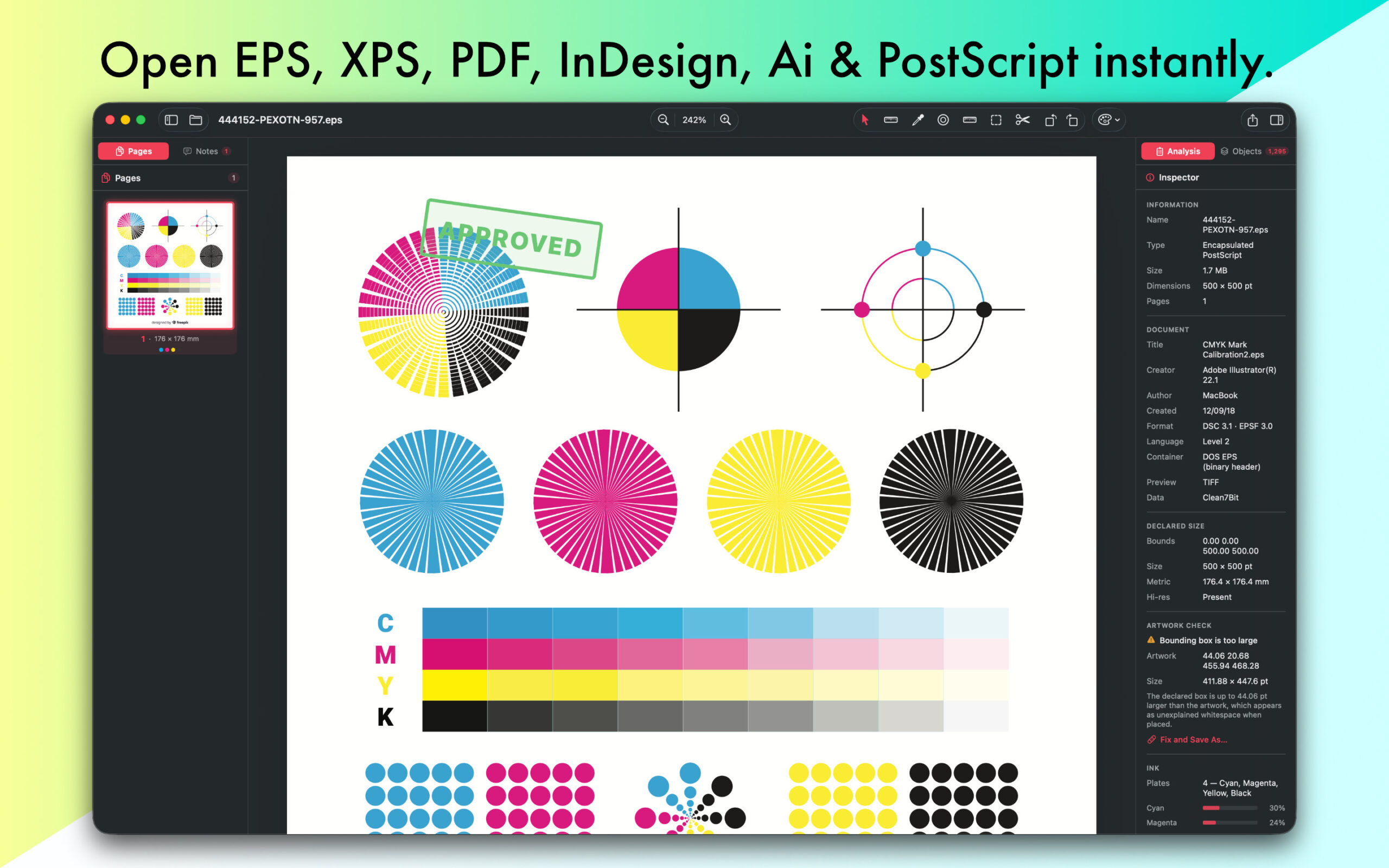
You’ve received an Unknown Graphic File from your customer or bought stock photo graphic in XPS or OpenXPS format or your prof has sent you an extremely useful graphic for your project, but you don’t have any XPS or OpenXPS viewer or converter on your Mac. What to do? First of all, no panic! 🙂
If you start googling for free XPS or OpenXPS viewer for Mac, you’ll definitely find some options. However, please don’t rush to install, ‘cause it’s too easy to grab a misfit. Now We have developed a simple application that opens XPS and OpenXPS files on Mac OS and exports to other format file. Opening XPS or OpenXPS format files without Window on macOS is possible now. When you install EPSViewer on your macOS, you will be able to open and convert XPS and OpenXPS files.
Sometimes, you might need to do something more than open and view XPS or OpenXPS document. If that is the case, you should definitely try EPS Viewer.
- Download and Install EPSViewer.
- Find your XPS or OpenXPS document in Finder.
- Double click on it to open and view the document.
How to view XPS or OpenXPS
EPSViewer is far more than a simple graphic viewer for Mac OS X. When you get the app, you receive the whole meal deal right out of the box from viewing, printing and many more extras.
Viewing XPS or OpenXPS files using EPSViewer is amazing. There are couple steps to take. After you’ve downloaded a free version of the app, open it. Drag and drop a XPS or OpenXPS file to the rect in Launch Window. That’s it! There are other ways to open files within EPSViewer too from Open menu or Open Button located in Launch Window
Why Choose EPSViewer?
EPSViewer is more than just a simple file viewer. It’s a complete tool for viewing, printing, and converting XPS and OpenXPS graphics quickly and securely.
Scripting Languages
Key Features:
- Opens XPS and OpenXPS files instantly
- Converts XPS and OpenXPS to other image formats
- Offers zoom, print, and export options
- Works offline — no internet connection needed
- Lightweight and easy to use
File Security You Can Trust
EPSViewer is a standalone application — it doesn’t require Adobe Illustrator, Photoshop, Acrobat, or any other software. It’s 100% safe and free from malware, spyware, or viruses.
The app uses only essential libraries to process graphics, ensuring fast and stable performance. Its interface is clean, simple, and designed for anyone — whether you’re a designer, student, or just curious about vector files.
In Short
- You no longer need heavy, expensive applications to open XPS, OpenXPS files.
- Use EPSviewer to view, zoom, print, and convert XPS, OpenXPS graphics easily.
- It’s lightweight, secure, and completely standalone.
Enjoy working with EPSViewer!