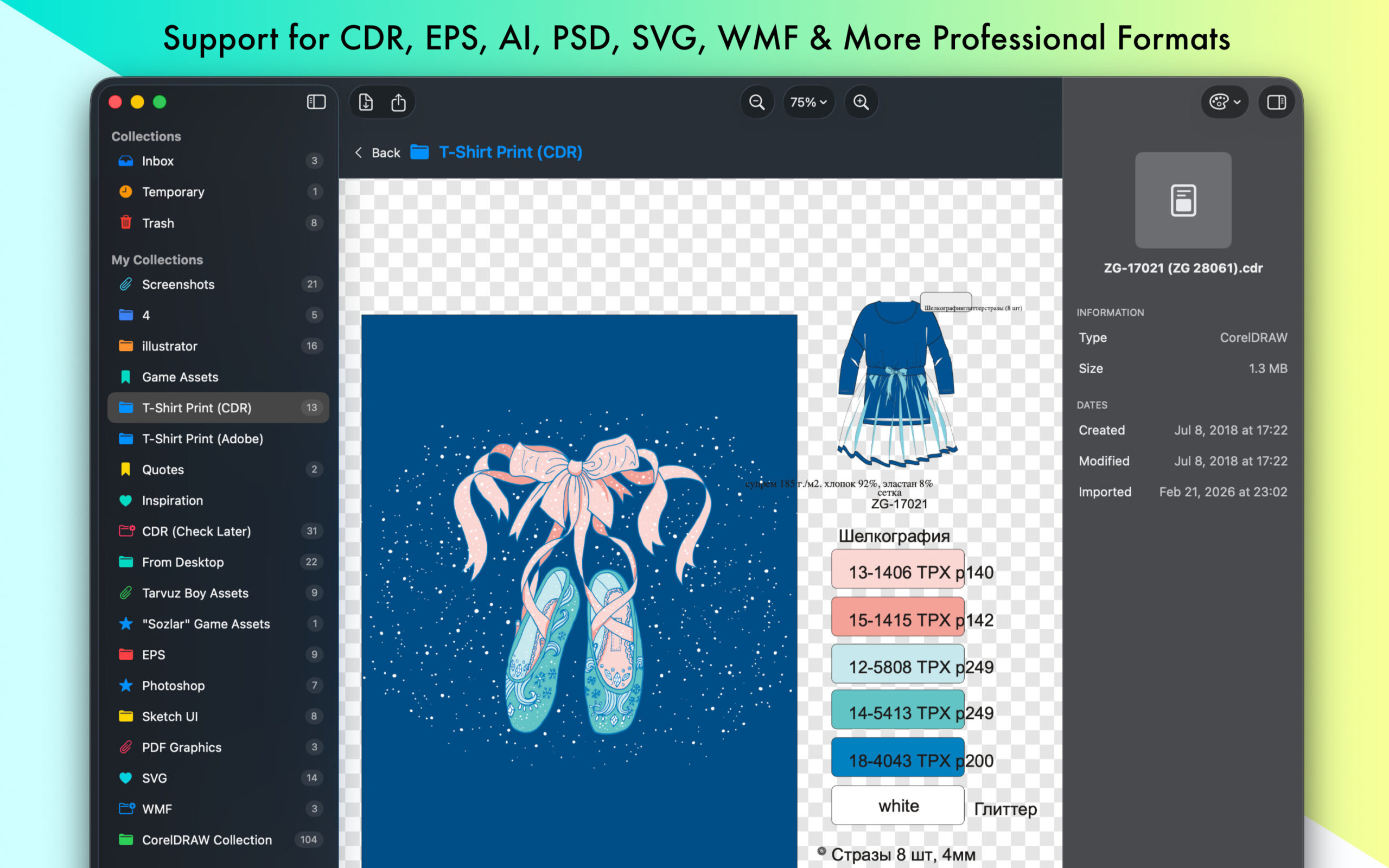
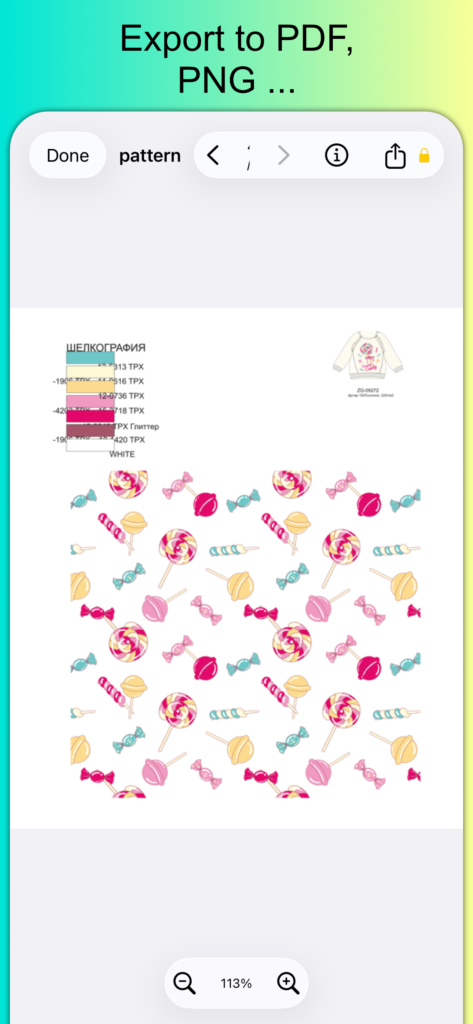
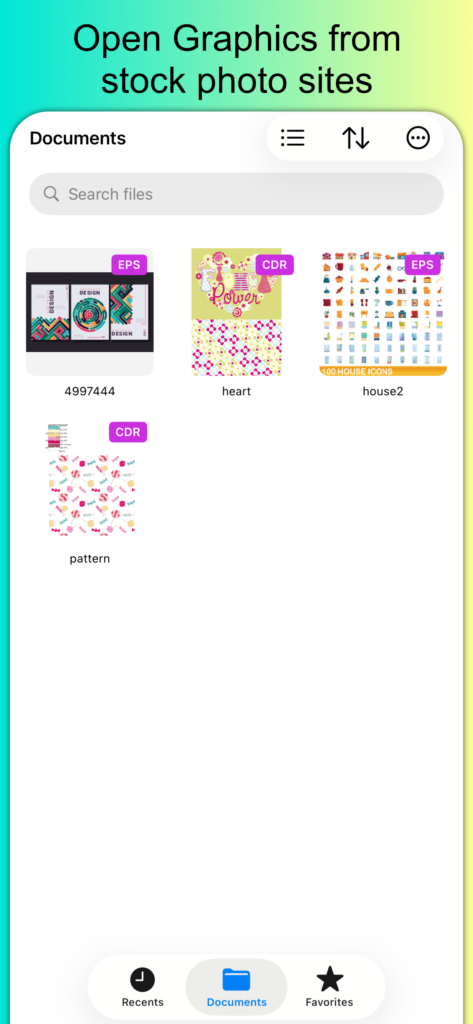
Multi-page document support with sidebar navigation
Export to PNG, JPG, PDF, SVG, and TIFF
Detailed file inspector
Privacy-first — your files stay on your Mac
Note For Users
Version 2 is an optional update. Purchased Pro versions up to version 2 will not work after version 2.0. If you wish to continue using version 1.x.x, and the app has accidentally or automatically updated itself, you can download version 1.9.5 for free from here and continue using your Pro version.
A DXF file is a data file saved in a format developed by Autodesk and used for CAD (computer-aided design) vector image files, such as AutoCAD documents. DXF files are similar to .DWG files but are more compatible with other programs since they are ASCII (text) based.
Adobe Illustrator (AI) and Photoshop (PSD) preview
Sketch File Preview
Smart collection organization
Professional export options (Pro)
Beautiful native macOS interface
Optimized for Apple Silicon
Open and preview CorelDRAW, EPS, SVG, and other professional vector/raster files natively on your Mac. Organize your design library with smart collections.
VectorView: The Professional Graphic File Manager for Mac
Stop struggling with incompatible file formats. VectorView gives your Mac native support for CorelDRAW, EPS, PS, SVG, AI, PSD, WMF, DXF, and other professional vector files that macOS doesn’t support out of the box.
OPEN WHAT OTHERS CAN’T
CorelDRAW (CDR) – Full native support for CorelDRAW files, the industry standard in print design and signage
Plus: PDF, SVG, PNG, JPEG, TIFF, and all standard image formats
DESIGNED FOR PROFESSIONALS
VectorView was built specifically for designers, print shops, and creative professionals who work with files from multiple sources. Whether you’re receiving CDR files from clients, managing EPS artwork, or organizing design assets, VectorView handles it all.
SMART ORGANIZATION
Smart Collections – Organize files by project, client, or any category you need
Color-Coded Organization – Visual system with custom icons and colors
Quick Preview – Instant preview without opening heavy design apps
Built from the ground up for macOS with SwiftUI, VectorView feels instantly familiar:
Native Mac Design – Follows macOS design guidelines perfectly
Lightning Fast – Optimized for Apple Silicon and Intel Macs
Low Memory – Efficient resource usage
macOS Integration – Works seamlessly with Finder, Spotlight, and Quick Look
WHY VECTORVIEW?
No Conversion Needed – View files directly, no export/import workflow
No Subscriptions – Optional one-time purchase or affordable subscription
Professional Quality – Used by design studios and print shops
Always Updated – Regular updates with new features
Privacy First – All processing happens locally on your Mac
PERFECT FOR:
Graphic Designers managing client files
Print shops receiving various file formats
Creative professionals working cross-platform
Anyone who needs to open CDR, EPS, PostScript, DXF, Large PSD files on Mac
Design teams organizing asset libraries
Join thousands of designers and creative professionals who rely on VectorView for their daily workflow. Whether you’re a freelance designer, work at a print shop, or manage a design studio, VectorView is the tool you’ve been waiting for.
VectorView brings professional vector file viewing to iOS with native support for formats that other apps can’t handle.
UPDATE FEATURES
+ Native CorelDRAW (CDR) rendering
+ Full EPS (PostScript) support
+ Beautiful SVG display
+ PDF and image viewing
+ Smart file management
+ Professional quality output
+ Dark mode throughout
+ Optimized performance
*** WHAT MAKES IT SPECIAL ***
Unlike generic file viewers, VectorView includes professional rendering engines specifically for designers and print professionals. We’ve spent months optimizing the rendering pipeline to deliver the best quality on iOS.
*** FREE TO TRY ***
Start with 3 file imports per day. Upgrade to Pro anytime for unlimited access and export features.
*** PERFECT TIMING ***
Whether you’re reviewing client files at a coffee shop, checking print files before a deadline, or accessing your creative work while traveling, VectorView is ready when you are.
A CSV (Comma-Separated Values) file is a plain text format used to store and exchange structured, tabular data. Its simplicity and universality make it one of the most common and supported formats for data transfer between disparate systems, such as databases, spreadsheets, and contact managers.
Core Structure & Syntax
The basic rules of a CSV are straightforward, but several nuances are important for handling real-world data.
Delimiters: While the comma is the standard delimiter (the character that separates fields), other characters like semicolons (;) or tabs are often used, especially in regions where the comma is the decimal separator. These are sometimes called DSV (Delimiter-Separated Values) files, but the concept is identical.
Records/Rows: Each line in the file represents a single record or row of data. A line is terminated by a newline character (e.g., \n or \r\n).
Fields/Columns: Each record consists of one or more fields (or columns), separated by the delimiter.
Header Row (Optional): The first line of the file is often a header row containing the names of each column. Example with Header:
Simple & Human-Readable: Easy to create and understand in a text editor.
No Standardization: While RFC 4180 defines a common standard, many variations exist (different delimiters, quoting styles).
Universally Supported: Virtually every data tool, programming language, and spreadsheet application can import and export CSV.
No Data Type Information: All data is stored as text. Context is lost (e.g., 001 and 1 are identical, dates can be ambiguous).
Compact & Fast: Has very little overhead compared to formats like XML or JSON.
No Schema or Metadata: There is no built-in way to describe the structure, data types, or relationships within the file.
Easy to Process: Parsing logic is simple to implement in code.
Security Risks: CSV Injection is a known attack where malicious formulas are embedded to exploit spreadsheet applications.
Common Use Cases
Data Export/Import: Migrating data between different software (e.g., from an e-commerce platform to a email marketing tool).
Data Analysis: Loading raw data into tools like Python (Pandas), R, Microsoft Excel, or Google Sheets for analysis and visualization.
Backing Up Simple Data: Creating portable backups of tables from a database.
Feeding Automated Systems: Providing data to scripts, reporting tools, or other automated processes.
In summary, a CSV file is a deceptively simple workhorse of the data world. Its power lies in its universality, but successfully working with it requires careful attention to the rules of delimiters and text qualifiers to handle complex data correctly.
An SVG (Scalable Vector Graphic) is an image file that uses vectors instead of pixels. Unlike standard images, it can be resized infinitely without any loss of quality, making it the perfect format for logos, icons, and charts.
How to Use SVG Files
To Edit: Use a dedicated vector graphics editor like Adobe Illustrator, CorelDRAW, or the free application Inkscape.
To View: Simply drag the file into any modern web browser like Chrome, Firefox, Safari, or Edge. They all support SVG display.
For Developers: The file can be opened in a text editor like SVGViewer, Notepad or TextEdit, as it is written in XML code. However, for most users, a graphics editor or browser is recommended.
We use cookies on our website to give you the most relevant experience by remembering your preferences and repeat visits. By clicking “Accept”, you consent to the use of ALL the cookies.
This website uses cookies to improve your experience while you navigate through the website. Out of these, the cookies that are categorized as necessary are stored on your browser as they are essential for the working of basic functionalities of the website. We also use third-party cookies that help us analyze and understand how you use this website. These cookies will be stored in your browser only with your consent. You also have the option to opt-out of these cookies. But opting out of some of these cookies may affect your browsing experience.
Necessary cookies are absolutely essential for the website to function properly. These cookies ensure basic functionalities and security features of the website, anonymously.
Cookie
Duration
Description
cookielawinfo-checkbox-analytics
11 months
This cookie is set by GDPR Cookie Consent plugin. The cookie is used to store the user consent for the cookies in the category "Analytics".
cookielawinfo-checkbox-functional
11 months
The cookie is set by GDPR cookie consent to record the user consent for the cookies in the category "Functional".
cookielawinfo-checkbox-necessary
11 months
This cookie is set by GDPR Cookie Consent plugin. The cookies is used to store the user consent for the cookies in the category "Necessary".
cookielawinfo-checkbox-others
11 months
This cookie is set by GDPR Cookie Consent plugin. The cookie is used to store the user consent for the cookies in the category "Other.
cookielawinfo-checkbox-performance
11 months
This cookie is set by GDPR Cookie Consent plugin. The cookie is used to store the user consent for the cookies in the category "Performance".
viewed_cookie_policy
11 months
The cookie is set by the GDPR Cookie Consent plugin and is used to store whether or not user has consented to the use of cookies. It does not store any personal data.
Functional cookies help to perform certain functionalities like sharing the content of the website on social media platforms, collect feedbacks, and other third-party features.
Performance cookies are used to understand and analyze the key performance indexes of the website which helps in delivering a better user experience for the visitors.
Analytical cookies are used to understand how visitors interact with the website. These cookies help provide information on metrics the number of visitors, bounce rate, traffic source, etc.
Advertisement cookies are used to provide visitors with relevant ads and marketing campaigns. These cookies track visitors across websites and collect information to provide customized ads.