
VectorView for Mac is updated to version 4.0.0.
WHAT’S NEW (Version 4.0.0)
We’re excited to introduce VectorView – the professional graphic file manager for Mac!
What’s Included:
- Native CorelDRAW (CDR) file support
- Full EPS and PostScript rendering
- Open Windows vector graphics – WMF
- SVG file support
- Adobe Illustrator (AI) and Photoshop (PSD) preview
- Sketch File Preview
- Smart collection organization
- Professional export options (Pro)
- Beautiful native macOS interface
- Optimized for Apple Silicon
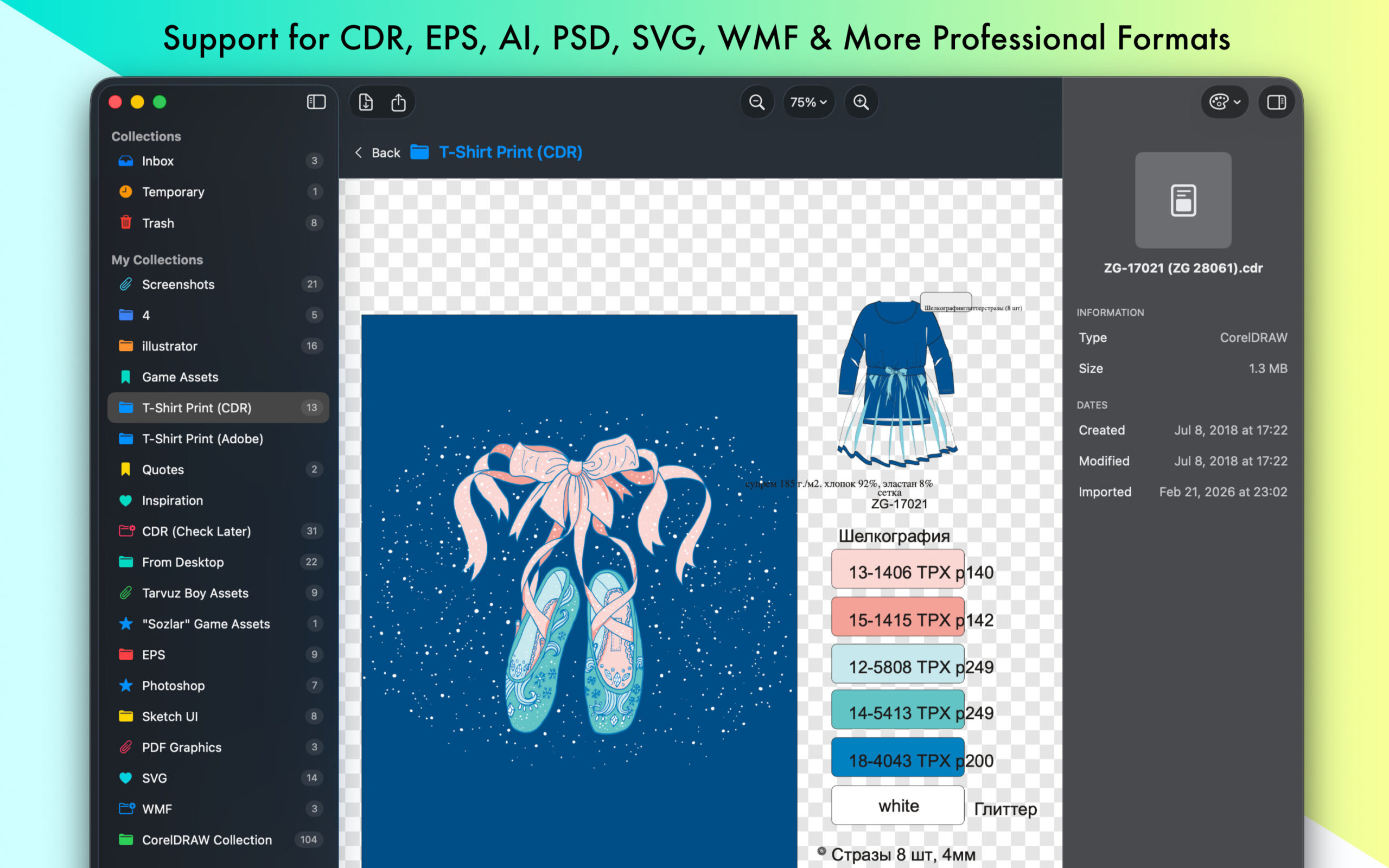
Open and preview CorelDRAW, EPS, SVG, and other professional vector/raster files natively on your Mac. Organize your design library with smart collections.
VectorView: The Professional Graphic File Manager for Mac
Stop struggling with incompatible file formats. VectorView gives your Mac native support for CorelDRAW, EPS, PS, SVG, AI, PSD, WMF, DXF, and other professional vector files that macOS doesn’t support out of the box.
OPEN WHAT OTHERS CAN’T
- CorelDRAW (CDR) – Full native support for CorelDRAW files, the industry standard in print design and signage
- Encapsulated PostScript (EPS) – Perfect rendering of EPS files from Adobe Illustrator and other professional tools
- Adobe Illustrator (AI) – Preview AI files without needing Creative Cloud
- PostScript (PS) – Handle PS files from professional print workflows
- Autodesk (DXF) – Import Drawing Exchange Format File and Export to
- Photoshop (PSD) – View layered Photoshop documents
- Windows Metafile (WMF/EMF) – Open Windows vector graphics seamlessly
- Plus: PDF, SVG, PNG, JPEG, TIFF, and all standard image formats
DESIGNED FOR PROFESSIONALS
VectorView was built specifically for designers, print shops, and creative professionals who work with files from multiple sources. Whether you’re receiving CDR files from clients, managing EPS artwork, or organizing design assets, VectorView handles it all.
SMART ORGANIZATION
- Smart Collections – Organize files by project, client, or any category you need
- Color-Coded Organization – Visual system with custom icons and colors
- Quick Preview – Instant preview without opening heavy design apps
- Batch Operations – Handle multiple files efficiently
PROFESSIONAL EXPORT (Pro Version)
- High-Quality Export – Export to PNG, JPG, PDF, or TIFF
- Custom DPI – Set exact resolution for print or web
- Custom Sizing – Precise dimensions for any use case
- Production Ready – Professional output quality
$2.99 monthly
$19.99 yearly
$39.99 lifetime
7-day free trial
NATIVE PERFORMANCE
Built from the ground up for macOS with SwiftUI, VectorView feels instantly familiar:
- Native Mac Design – Follows macOS design guidelines perfectly
- Lightning Fast – Optimized for Apple Silicon and Intel Macs
- Low Memory – Efficient resource usage
- macOS Integration – Works seamlessly with Finder, Spotlight, and Quick Look
WHY VECTORVIEW?
- No Conversion Needed – View files directly, no export/import workflow
- No Subscriptions – Optional one-time purchase or affordable subscription
- Professional Quality – Used by design studios and print shops
- Always Updated – Regular updates with new features
- Privacy First – All processing happens locally on your Mac
PERFECT FOR:
- Graphic Designers managing client files
- Print shops receiving various file formats
- Creative professionals working cross-platform
- Anyone who needs to open CDR, EPS, PostScript, DXF, Large PSD files on Mac
- Design teams organizing asset libraries
Join thousands of designers and creative professionals who rely on VectorView for their daily workflow. Whether you’re a freelance designer, work at a print shop, or manage a design studio, VectorView is the tool you’ve been waiting for.
#eps #vectorconverter #photoshop
Discover more from Simple Solutions for Creative People
Subscribe to get the latest posts sent to your email.